Improving the Video Content Journey on MedScape for Working Healthcare Professionals
overview
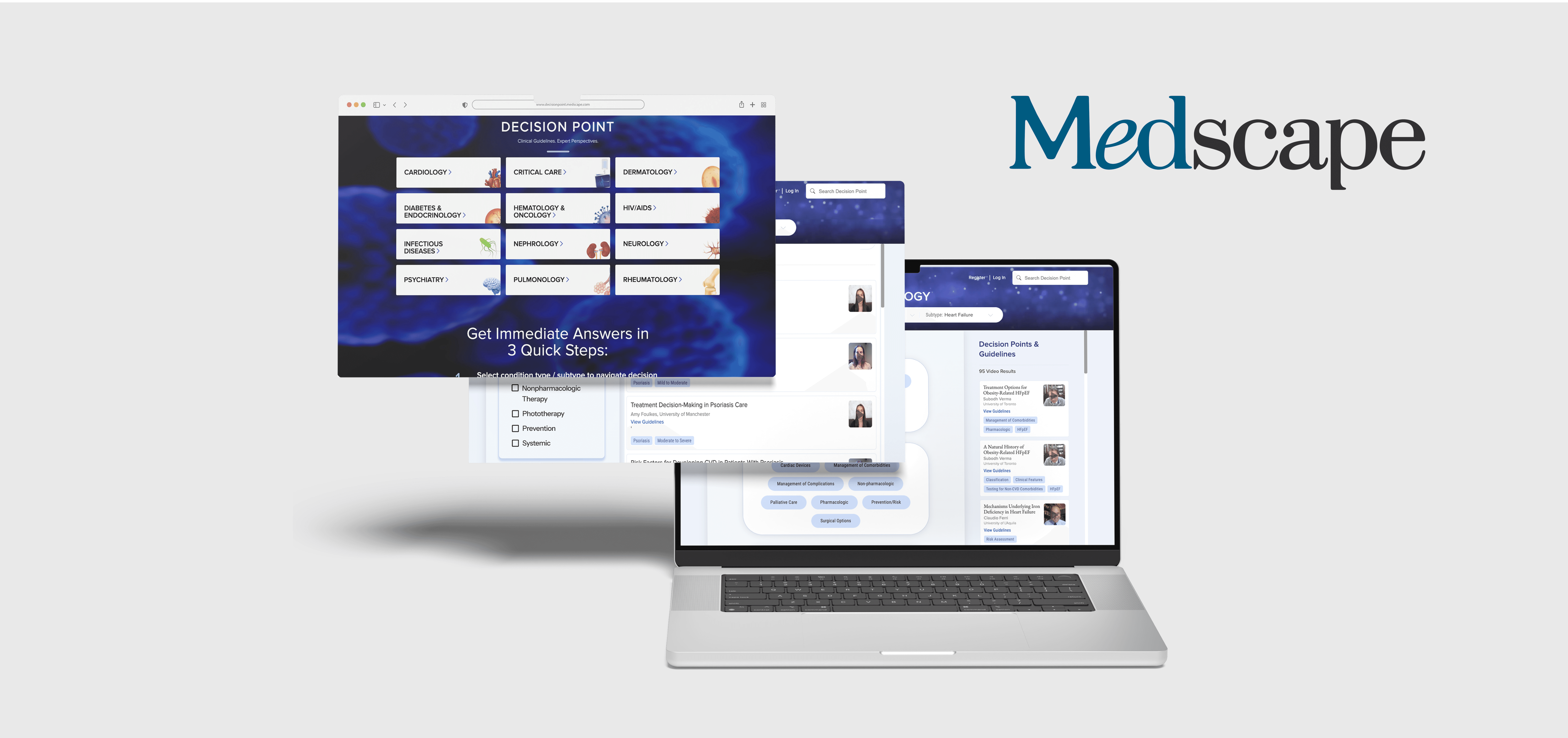
A usability study evaluating how healthcare professionals interact with Medscape’s Decision Point, a clinical decision-support tool offering expert-led, medically reviewed video content
Our team collaborated with Medscape to identify usability barriers and opportunities to improve engagement, focusing on how clinicians discover, navigate, and consume Decision Point resources across the platform.
challenge
While Decision Point delivers high-value, evidence-based insights, most healthcare professionals access content only through direct email links, bypassing the broader content experience in the platform. This behavior leads to low content exploration, unclear navigation paths, and limited awareness of related learning materials.
To address this, our team focused on solving these two key challenges:
Users engage with individual videos but often miss the context and additional content available through the Decision Point interface.
Users lack intuitive navigation tools, making it difficult to browse, filter, or discover related videos beyond the email-driven entry point.
year
2025
duration
8 weeks, Mar 2025 - May 2025
tools
Figma, Panel Fox, Zoom
category
Usability Testing Client Project
client
MedScape
my role
UX Consultant
team
Gloria Yang (Me) Carol Bai Emily Yip Rex Fukuchi
• SNEAK PEEK OF OUR FINAL SOLUTION
Our Solution
• OUR PROCESS
So how did we actually get here?

Let me walk you through our process ↓
• THE BACKGROUND
What is Decision Point?
Medscape’s Decision Point is a clinical decision support tool that provides healthcare professionals with access to medically reviewed, editorially unbiased video content created by Medscape editors and collaborators. The platform allows users to browse, search, and filter video content tailored to their clinical needs.

• KICK-OFF MEETING
Getting Aligned on Purpose, Priorities, and Users
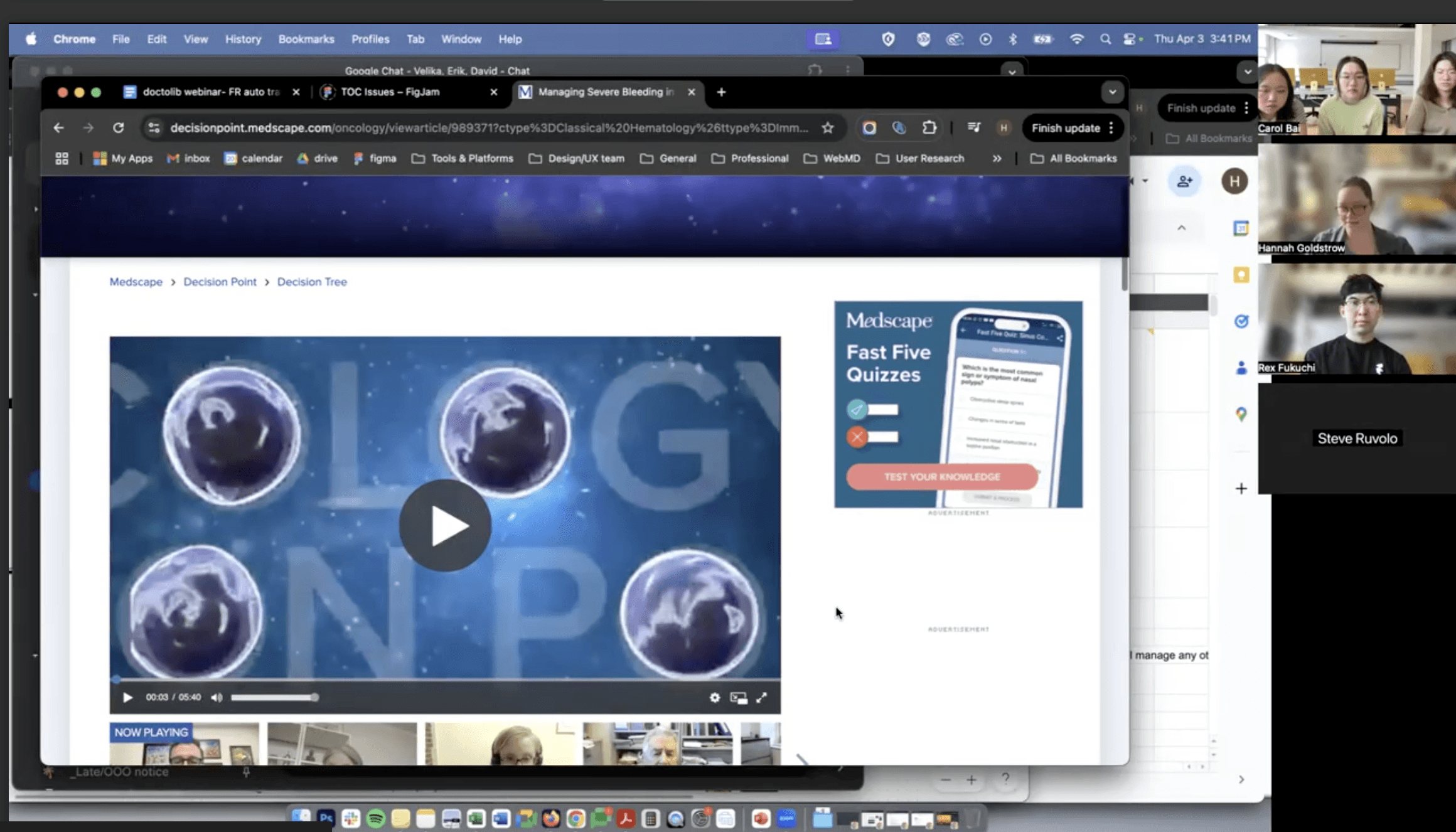
In our initial meeting with the Medscape team, we gained a deeper understanding of Decision Point's purpose, structure, and targeted audience. The team clarified their main goal: to increase organic engagement with videos beyond email-driven clicks.
We also aligned on the specific areas of focus: the homepage, category page, decision tree page, and video landing pages. These were identified as key moments where users either drop off or miss opportunities to explore further.
Lastly, we defined the target user profile which is working healthcare professionals who spend free time learning about new medical discoveries/research and primarily uses desktop interface for research. This alignment helped us tailor our research approach and ensure our recommendations addressed the right pain points.
• RECRUITMENT & PARTICIPANTS
Hearing from the Real Healthcare Professionals
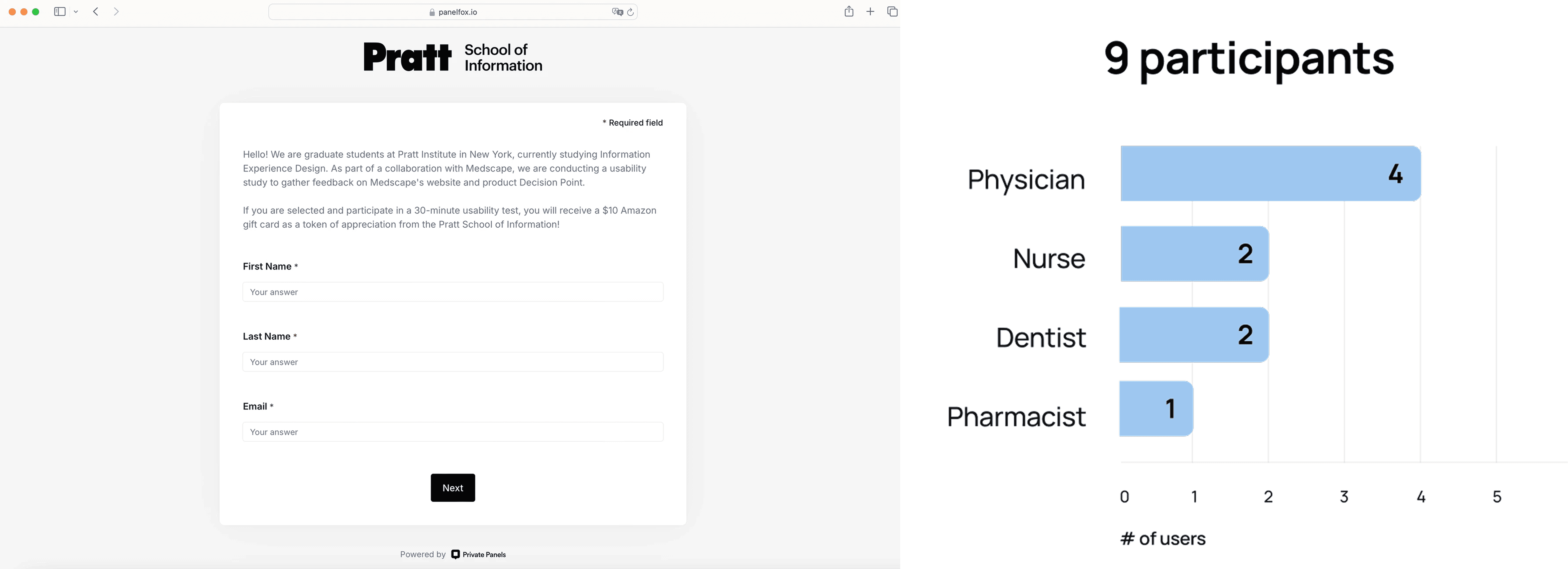
To recruit participants, we used Panelfox to distribute a screener survey and filter for research-driven healthcare professionals. The client also provided a list of interested users.
We selected nine participants, including physicians, nurses, dentists, and a pharmacist, for remote moderated user testing. This mix reflected the diversity of Decision Point’s real-world audience and ensured our insights were grounded in their actual needs and behaviors.
• MODERATED USABILITY TESTING
Uncovering Why HCPs Weren't Engaging with Decision Point
To understand why healthcare professionals relied on email-driven video links but rarely explored beyond them, we conducted remote moderated usability testing with nine participants, including physicians, nurses, dentists, and pharmacists.
Before launching the full study, we ran pilot test sessions to validate task realism and clarity, ensuring the flow reflected real clinical browsing behavior. Each participant began with a short pre-test questionnaire to contextualize their role, daily workflow, and learning habits before completing four scenario-based tasks, from casual exploration to navigating complex clinical content in the Decision Tree.
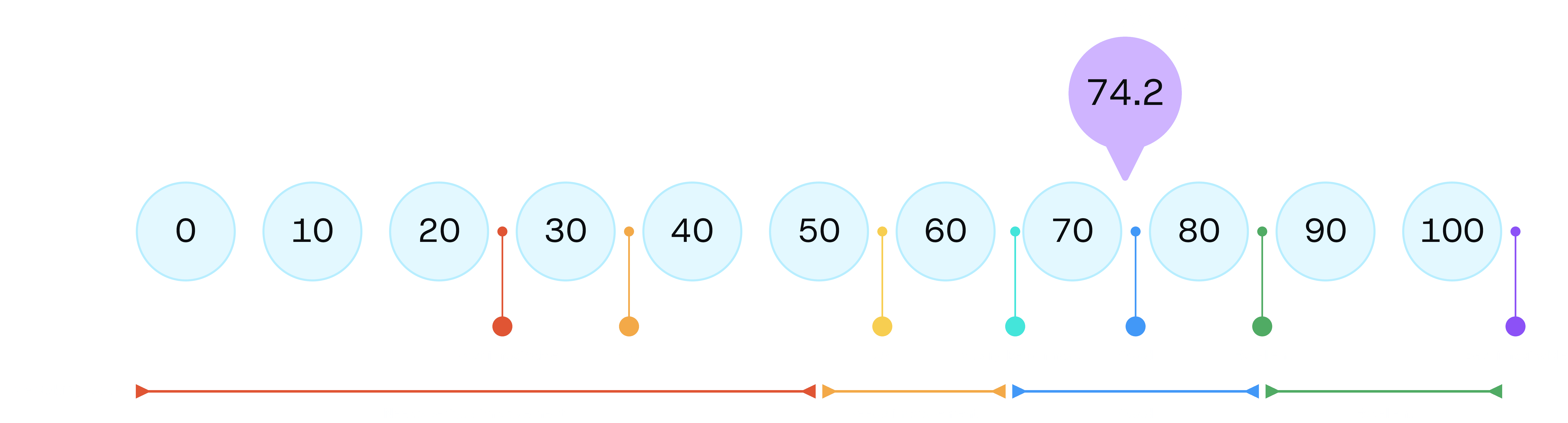
Following each session, we gathered post-test reflections and had participants complete the System Usability Scale (SUS) to quantify overall usability and learnability.
The results revealed an average SUS score of 74.2, above the industry benchmark of 68, and a learnability score of 87.5, indicating that users quickly understood how to use the interface. However, a usability score of 70.8 highlighted opportunities to improve navigation flow and reduce friction in task completion.
This combination of behavioral observation and quantitative evaluation helped us identify critical usability breakdowns and inform targeted recommendations for improving engagement and discoverability across the platform.
• KEY INSIGHTS & RECOMMENDATIONS
Improving Decision Point Navigation & Discovery: Guiding Users from Entry Point to Exploration
Finding 1: 33% of Users Struggled to Return to the Homepage
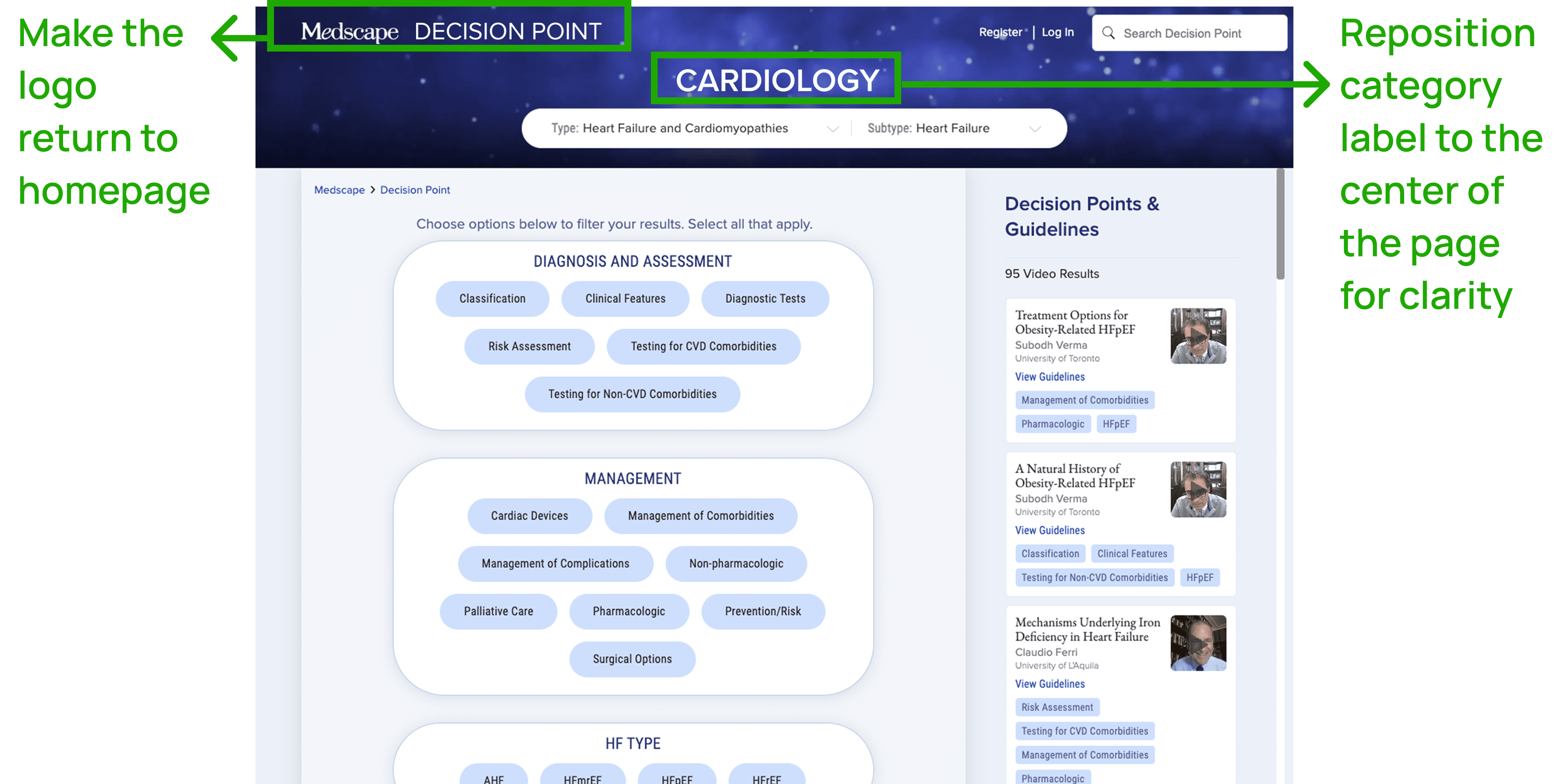
During the usability testing, 3 out of 9 participants had difficulty navigating back to the homepage. Users expected the Decision Point logo to take them back home, but it redirects to the category page instead, causing confusion and forcing reliance on breadcrumbs or the browser back button.
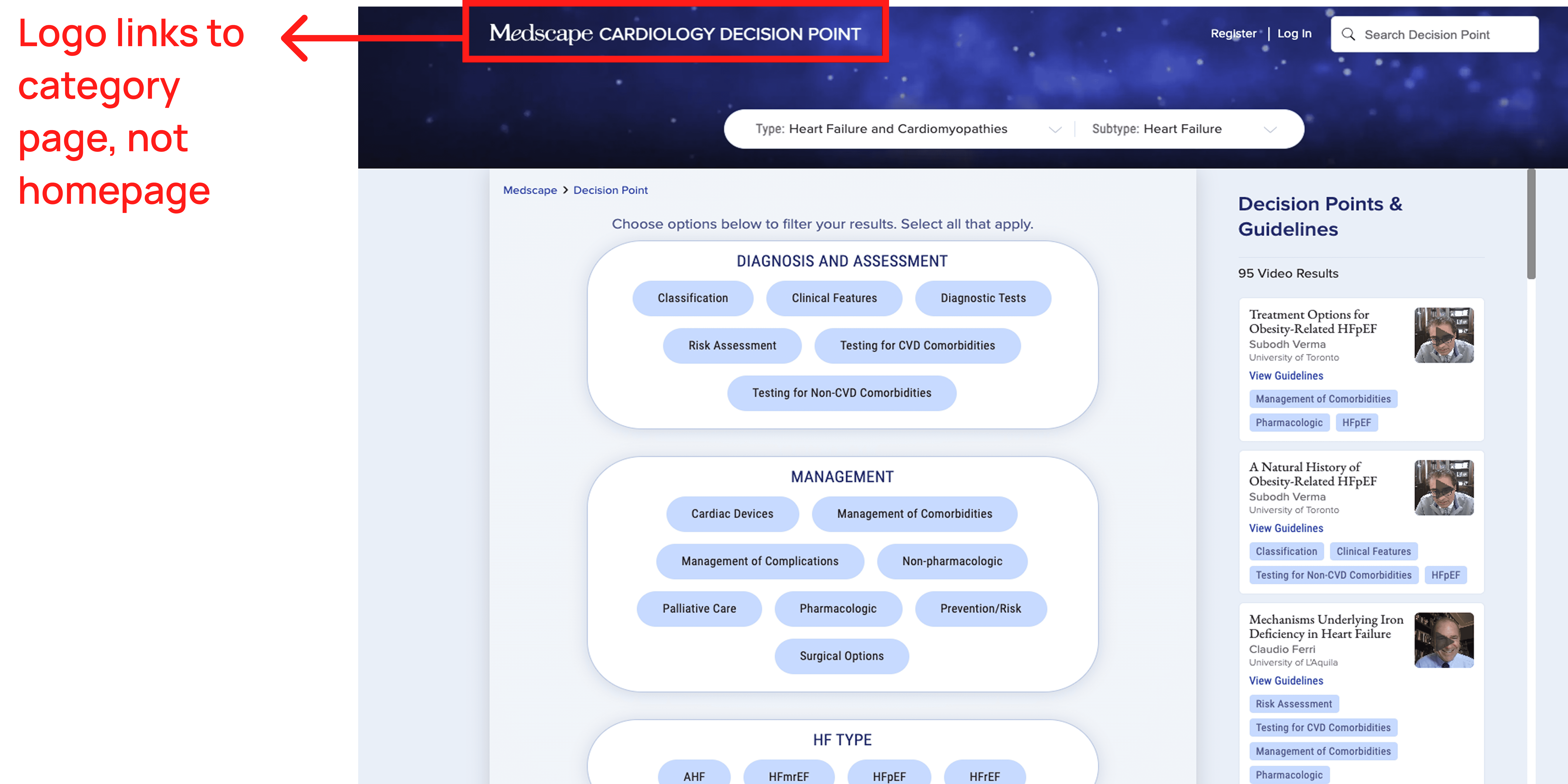
Recommendation 1: Link Logo to Homepage and Reposition Category Label
Link the Decision Point logo directly to the homepage to align with standard navigation patterns and user expectations. Then, reposition the category label to the center of the Decision Tree page, where it provides helpful context without being mistaken for a homepage link. Together, these adjustments reduce confusion, streamline the browsing experience, and make it easier for users to move between pages confidently.
Finding 2: 56% of Users Preferred a Search-Driven Experience Over Categories
During testing, 5 out of 9 participants said they preferred searching directly for content instead of browsing through rigid specialty categories. Users felt category tiles and filters were time-consuming and didn’t match how they naturally look for clinical information.
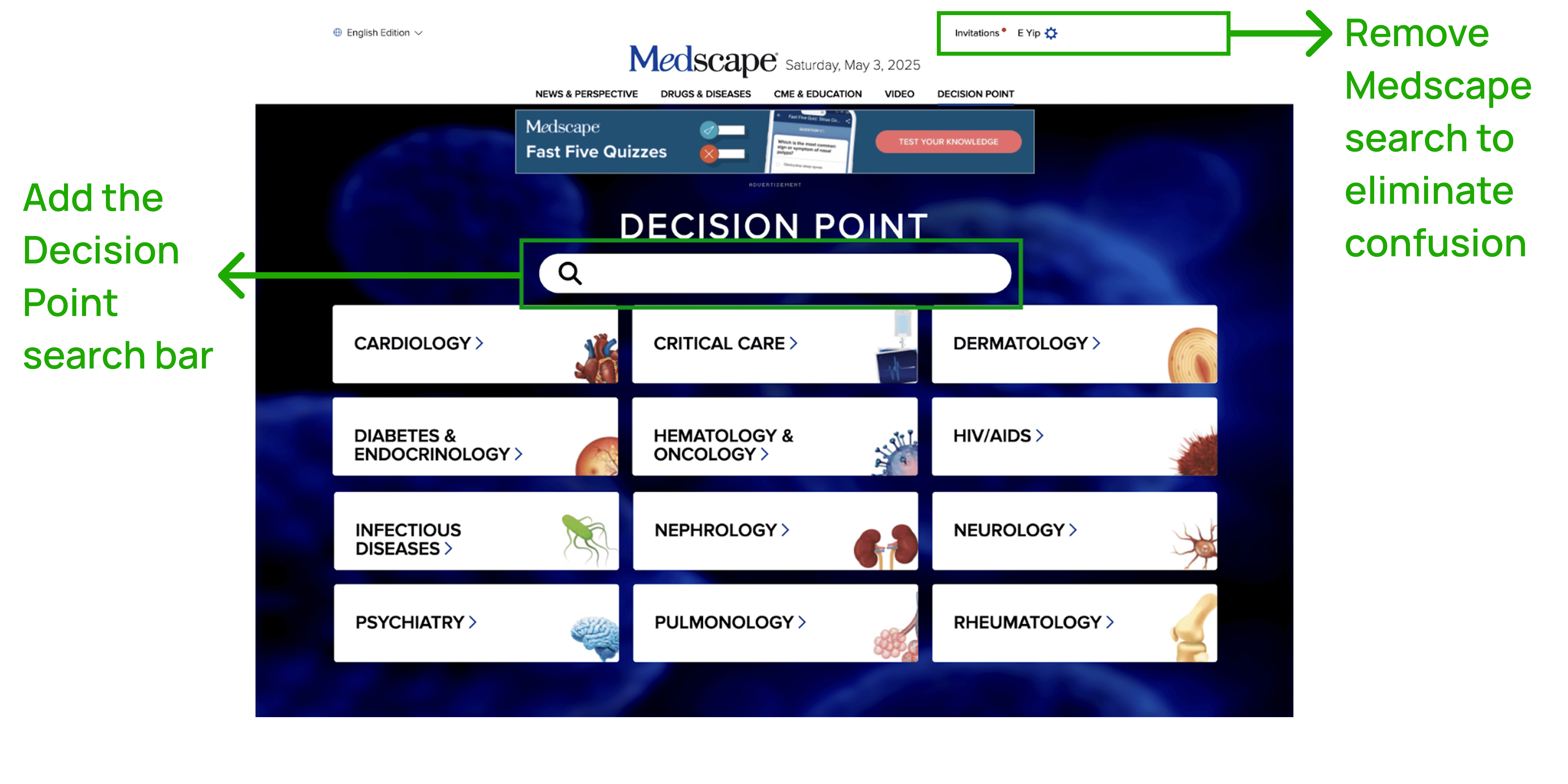
However, the Decision Point homepage does not have a Decision Point–specific search bar, only the global Medscape search in the top right corner. This misled users and pulled them away from Decision Point content entirely, creating a major break in the experience.

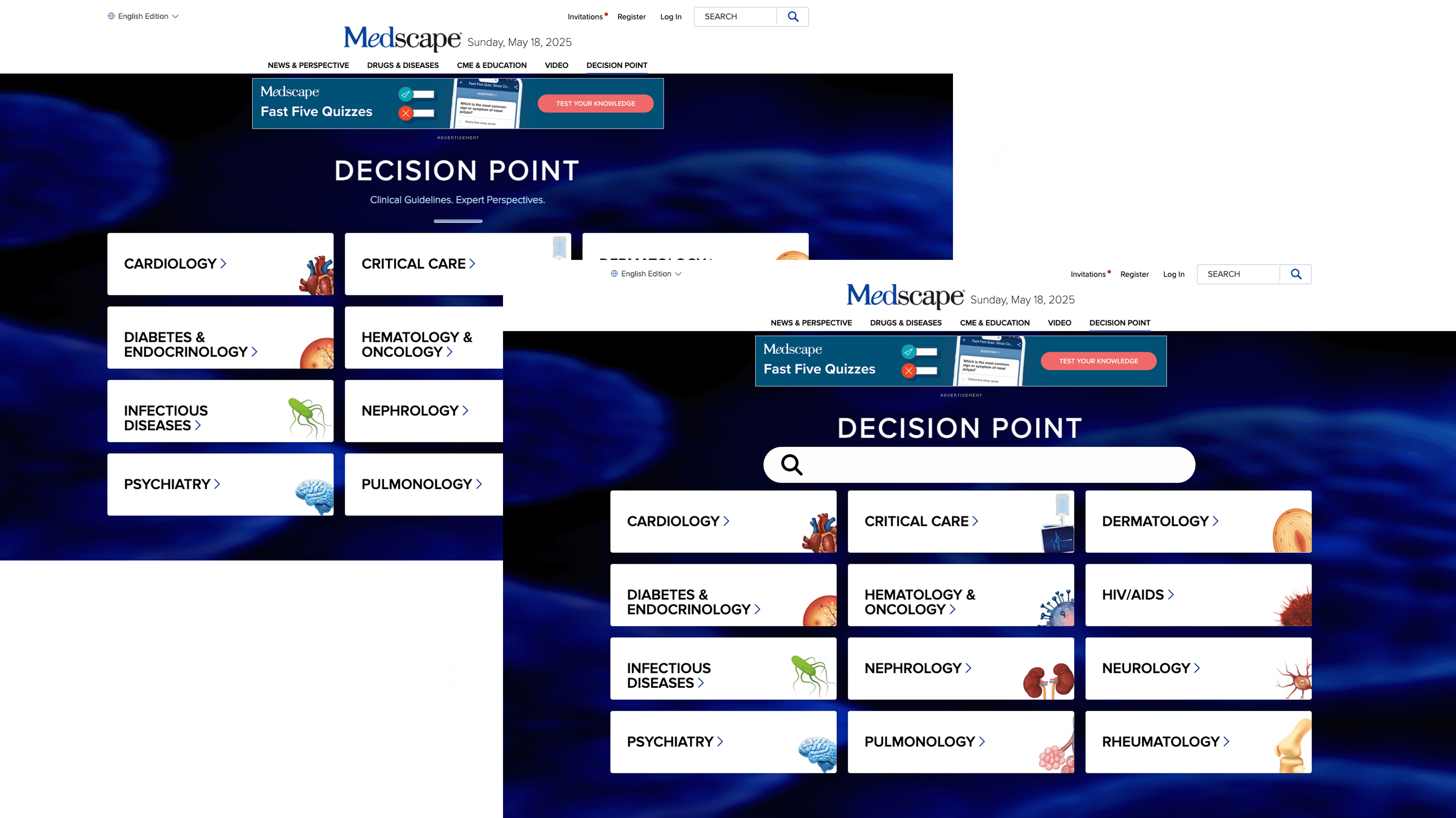
Recommendation 2: Add a Dedicated Search Bar to the Homepage to Support Search-First Navigation
To support users who prefer direct search, we recommend adding a visible, centered Decision Point search bar on the homepage. This gives users a simple, intuitive starting point for finding relevant clinical content.
We also recommend removing the Medscape global search bar from this page to avoid confusion and prevent users from unintentionally leaving the Decision Point experience.
These changes streamline discovery, reduce navigation friction, and help align the homepage with the way clinicians naturally search for information.
Finding 3: 33% of Users Said the Category Page Added Friction
During usability testing, 3 out of 9 participants found the Category Page unnecessary and confusing. Inconsistent layouts that some are using “Start” buttons and others are using dropdowns, which added complexity and broke the browsing flow. Users questioned why an extra page existed before reaching actual video content.
Key Issue: The Category Page served as an unnecessary barrier, adding steps without providing value.

Recommendation 3: Remove the Category Page and Streamline the Path to Video Content
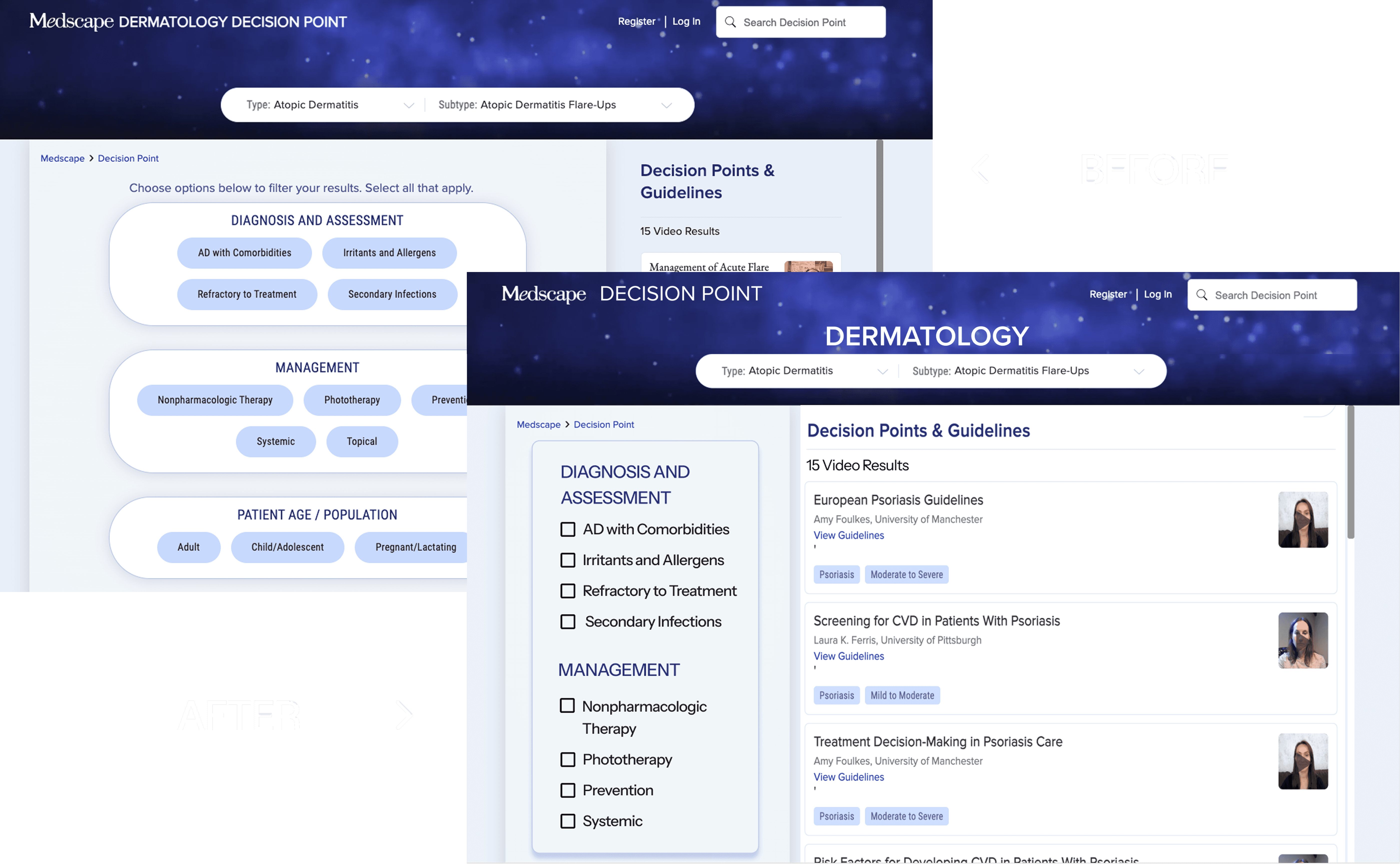
In order to better streamline the experience of users browsing for video content, we recommend removing the Category Page entirely and linking category selections on the homepage directly to the Decision Tree Page. This change lessens the amount of clicks the user needs to get to their goal: filtering and seeing the video content that is available in Decision Point.

Finding 4: 22% of Users Felt the Filter Panel Overshadowed the Video Results
During usability testing, 2 out of 9 participants struggled to distinguish between filters and video results on the Decision Tree Page. The filter panel dominated the screen and disrupted visual hierarchy, making it harder for users to focus on actual video content. This created unnecessary cognitive load and slowed down their ability to identify relevant information.
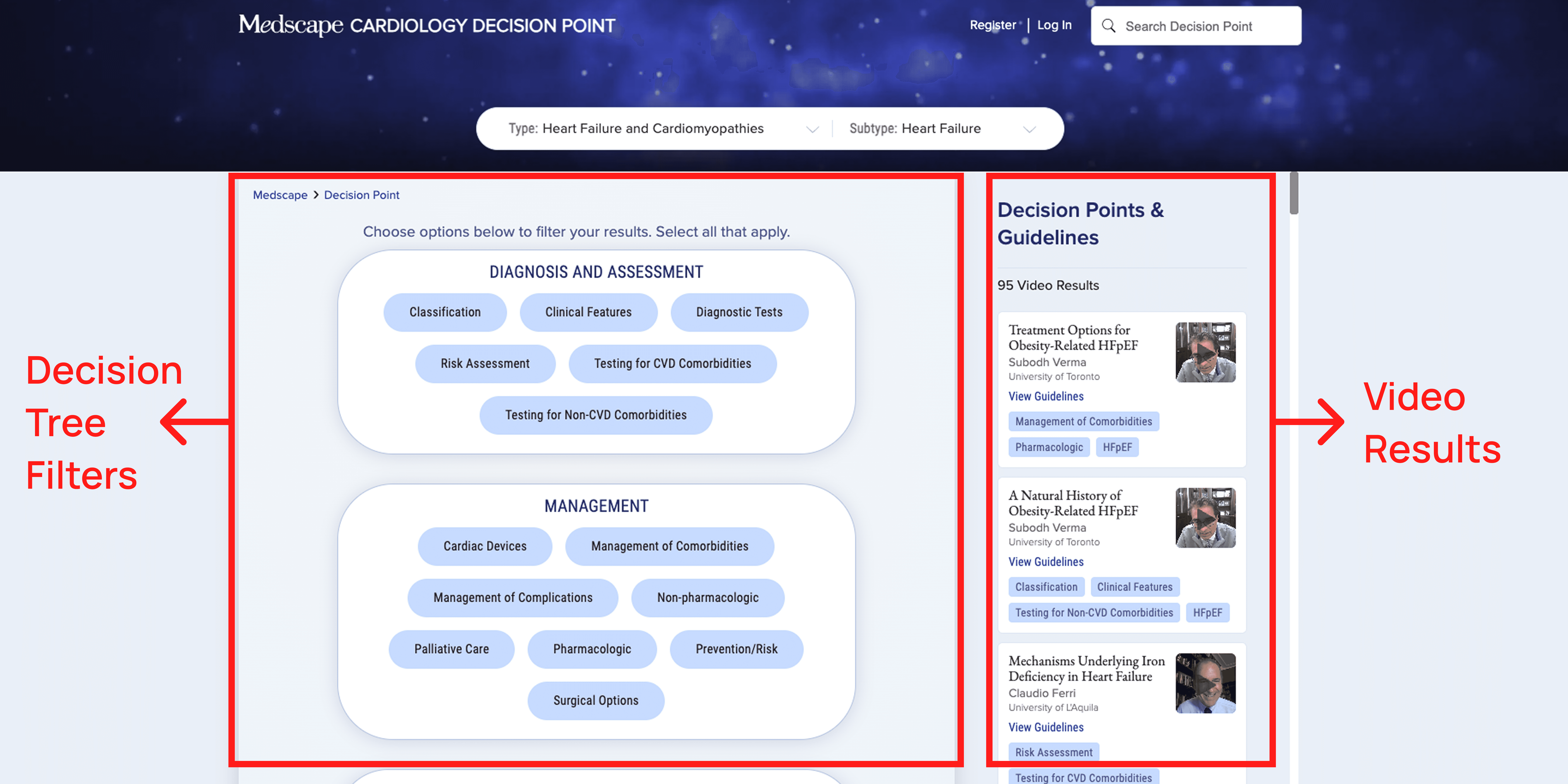
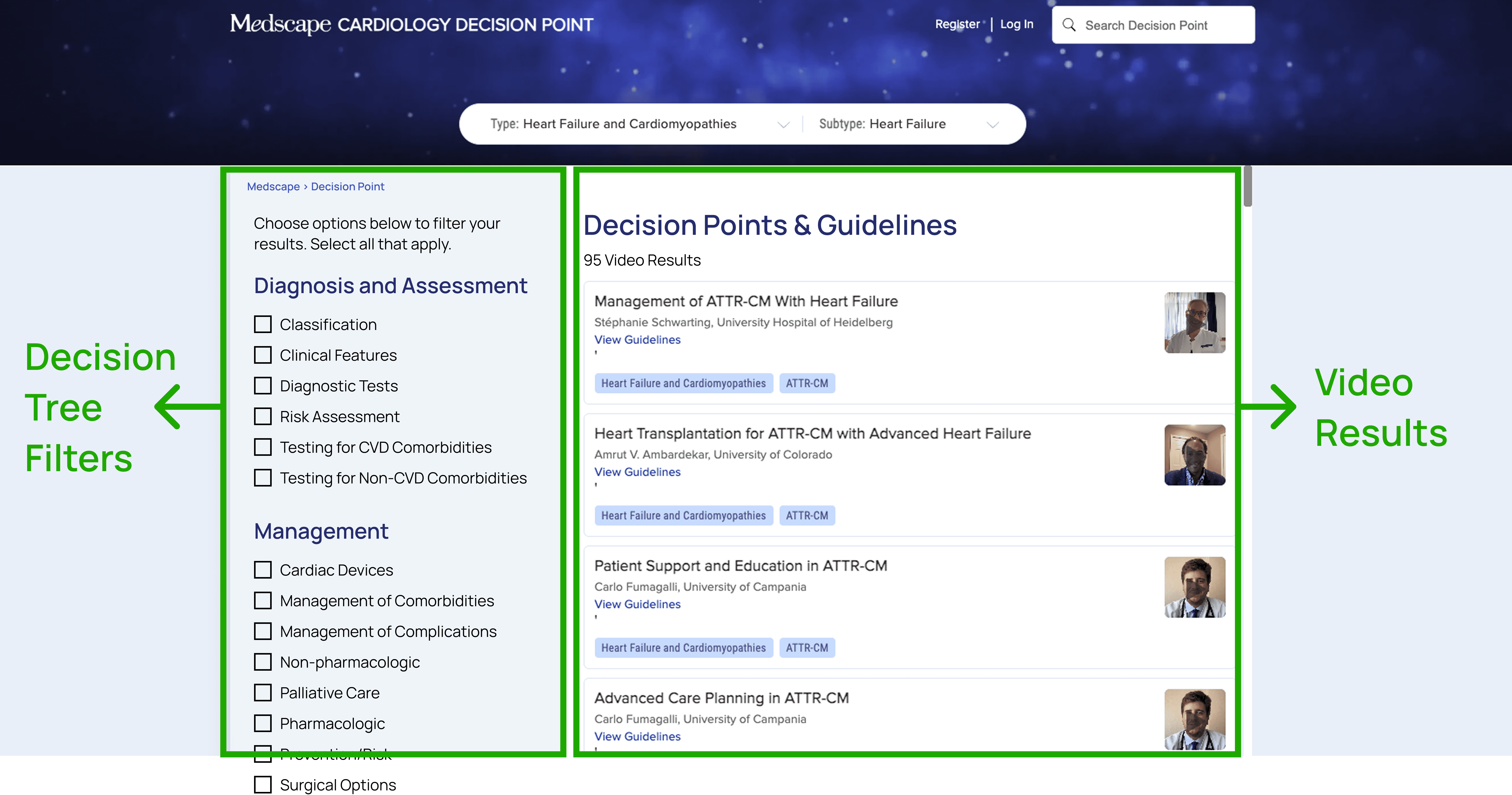
Recommendation 4: Rebalance the Layout to Prioritize Video Results and Reduce Cognitive Load
To address this issue, we recommend reducing the visual dominance of the filter panel and shifting it into a left-aligned vertical layout. This widely used pattern creates a clearer separation between filtering tools and content results, improving scannability and helping users focus on the videos.
• CLIENT IMPACT
From Insights to Impact: Driving the Future Improvement in MedScape Decision Point's Experience
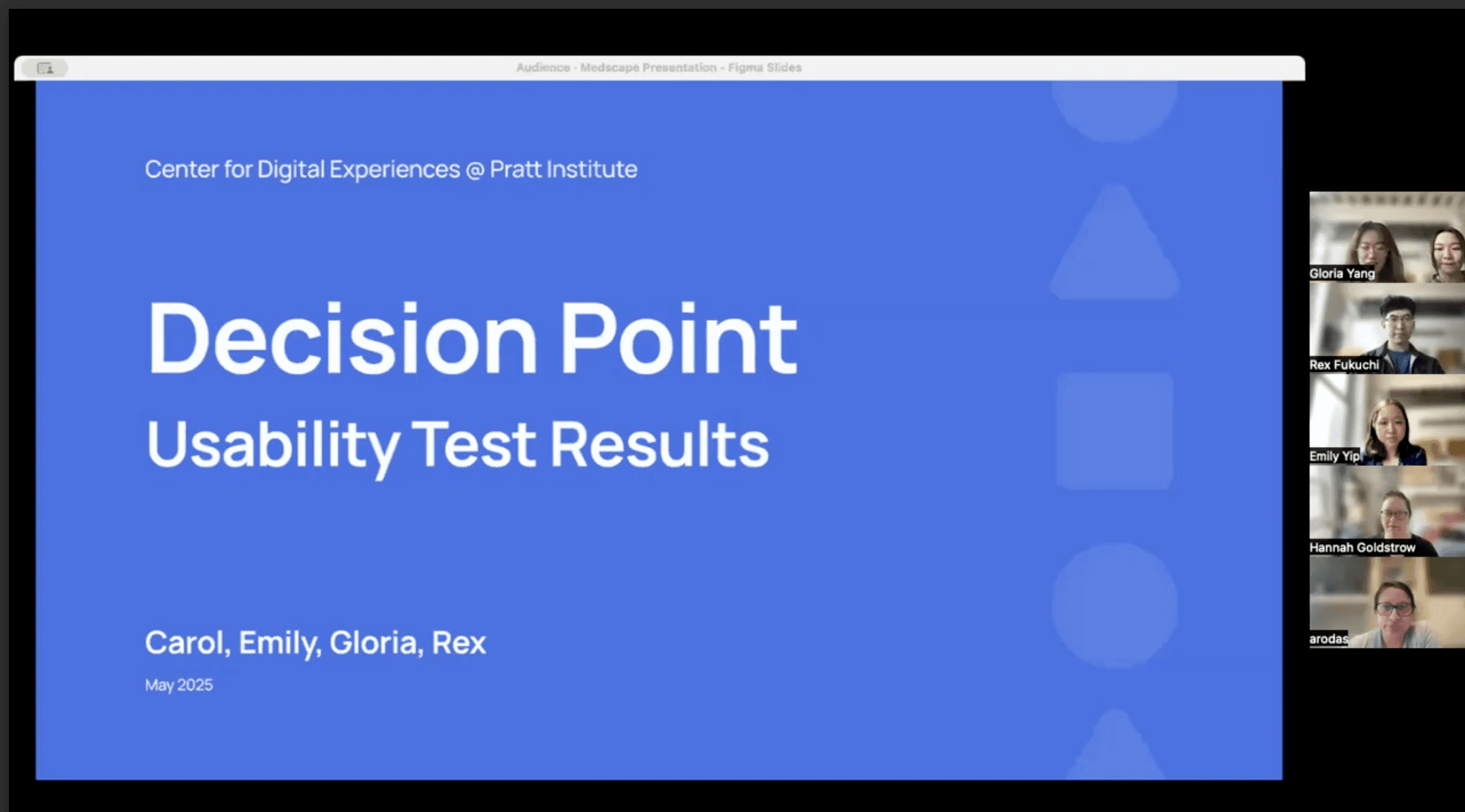
Our client responded positively to the findings and recommendations we presented, describing them as a strong foundation for the future redesign of Decision Point. During our final meeting, they noted that several of our usability insights echoed internal observations from their own team that validating existing concerns with user experience.
At the same time, our research found new usability gaps the team hadn’t previously identified, offering fresh perspectives grounded in real user behavior. They expressed enthusiasm about taking these insights back to the product team and mentioned that this research will be used to guide future improvements and prioritization efforts.
Looking ahead, the Decision Point team shared interest in exploring how these recommendations could be integrated into their broader product roadmap and potentially revisiting additional areas of the platform for future testing and refinement.
• OUR REFLECTION
What I Learned throughout the Process?
Designing Beyond Our Expertise
Working on a healthcare product like Decision Point pushed me to design for a field I wasn’t deeply familiar with. This experience taught me the importance of validating task flows and scenarios with subject-matter experts before conducting usability testing with participants. By consulting professionals early, we can ensure our study materials align with real-world use and avoid testing assumptions that don’t hold up in context.
Small Changes, Big Impact
When a client offers a “blue sky” opportunity with no design constraints, it’s tempting to think big. But through this project, I learned that meaningful impact often comes from small, strategic changes. Proposals like relabeling, improving navigation paths, or simplifying UI structure may seem minor, but they can significantly improve usability without requiring a complete redesign. This mindset helped us deliver realistic, high-impact recommendations that the client was excited to implement.